About The Project
Frankenstein is a Micro-Factories as a Service (MFaaS) platform that reimagines manufacturing as an on-demand, decentralized system.
We were commissioned to design a concept demo and build studio prototypes, offering a glimpse into how the platform could reshape the journey from discovery to delivery for buyers, designers, and manufacturers.
Exploration
The platform structures the manufacturing journey into a seamless flow—from discovering designs to selecting manufacturers, executing production, and managing delivery.Each stage addresses critical gaps: lack of trust, IP risks, unclear documentation, and fragmented communication.Key interventions include immersive previews, verified ecosystems, and interactive building guides that replace static documentation.
The result is a system that reduces uncertainty while increasing accountability across every step.
01
Discovery
For Buyers
Custom-manufactured products lack the trust and reliability of mass-produced goods due to the absence of standardized quality control and clear accountability between designers and manufacturers.
For Designers
Risk of IP theft discourages innovation as designs can be copied without protection or proper attribution.
For Manufacturers
Inability to verify designs upfront leads to inefficiencies and production errors.
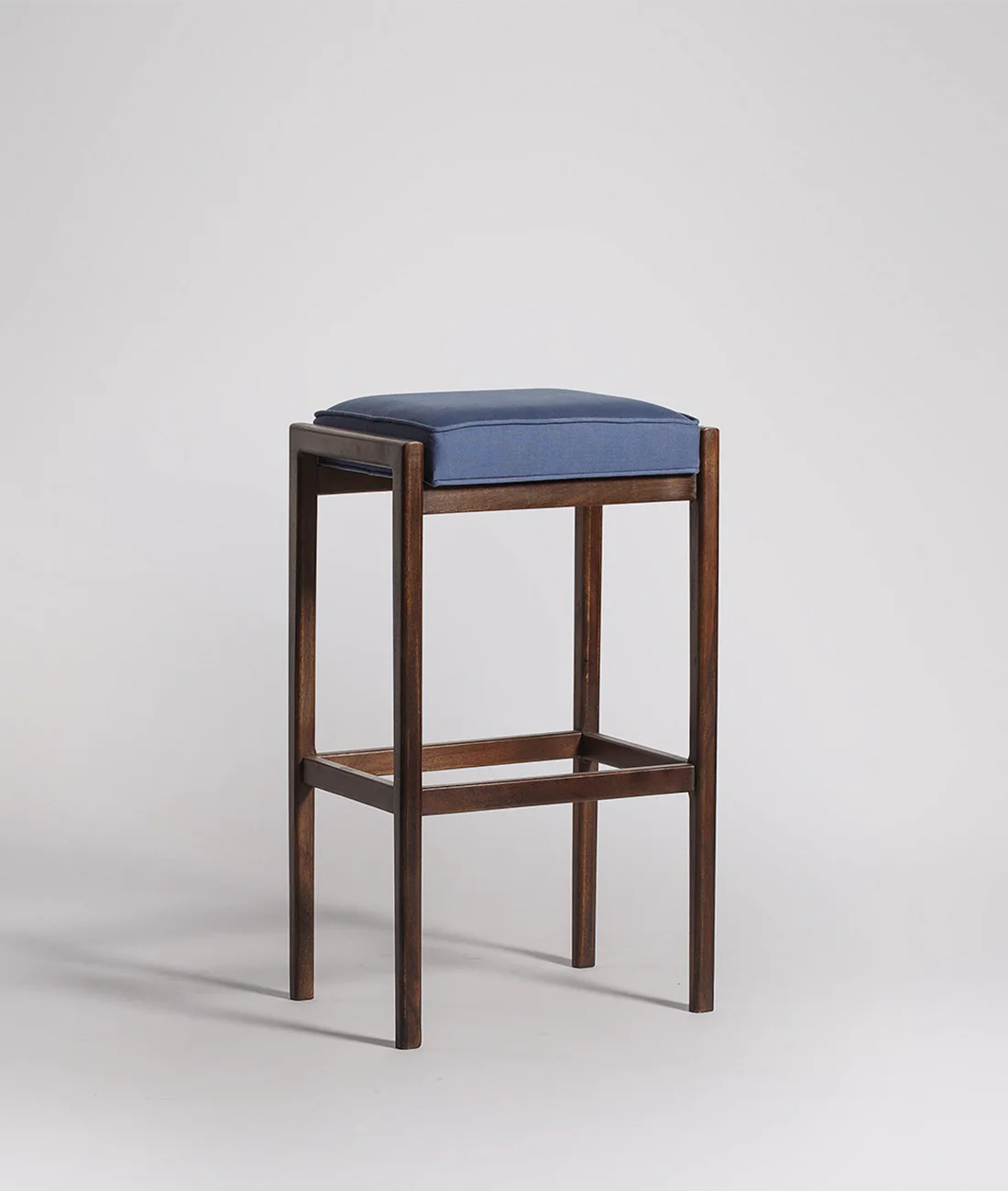
Cushioned Wooden Stool
Studio Artisan
Verified Makers
Hyderabad
Bengaluru
₹600 / 0.05ETH

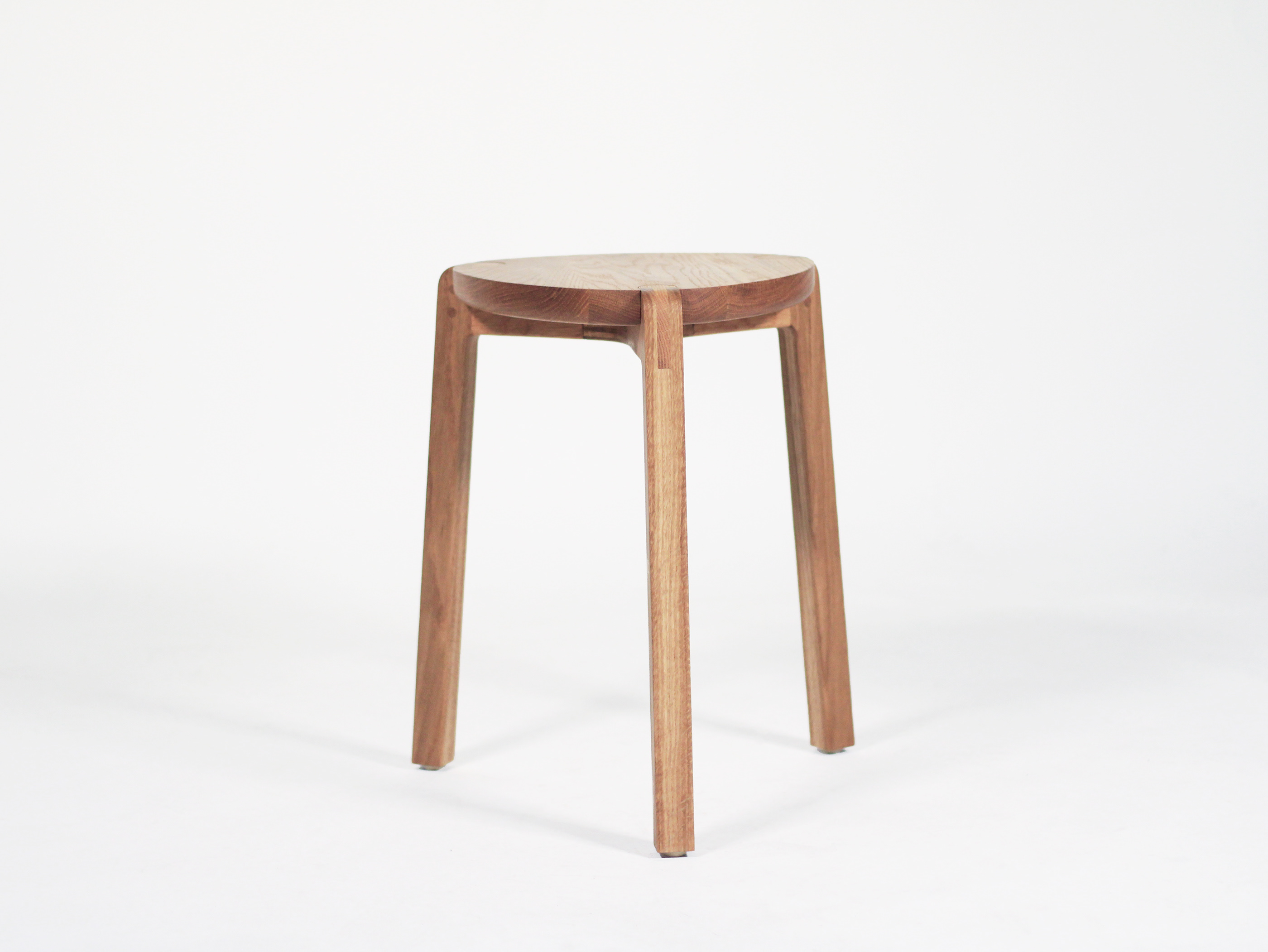
Minimalist Wooden Stool
Studio Artisan
Verified Makers
Hyderabad
Mumbai
Bengaluru
₹680 / 0.05ETH

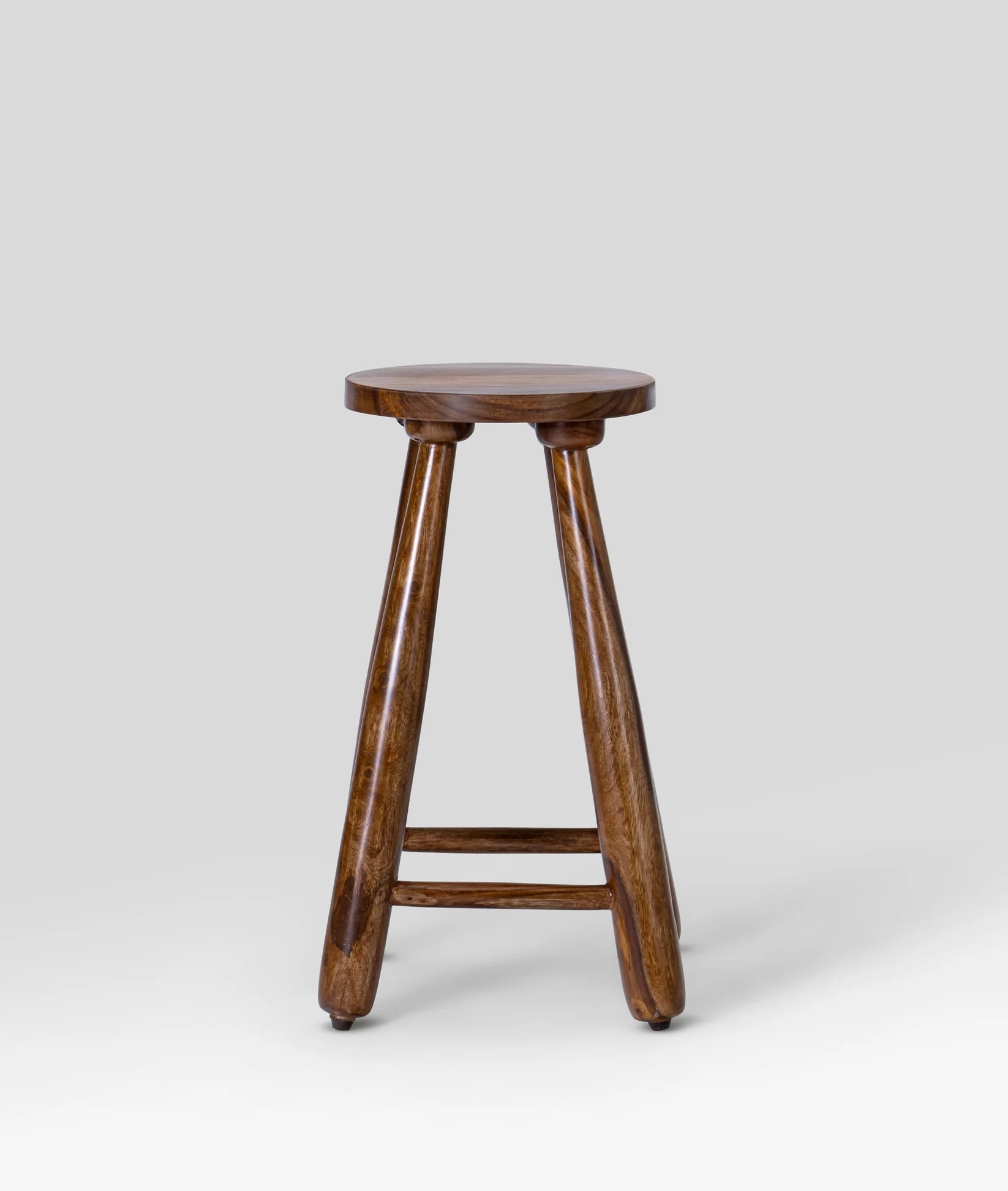
Three-Legged Wooden Stool
Studio Artisan
Verified Makers
Hyderabad
Bengaluru
₹480 / 0.05ETH

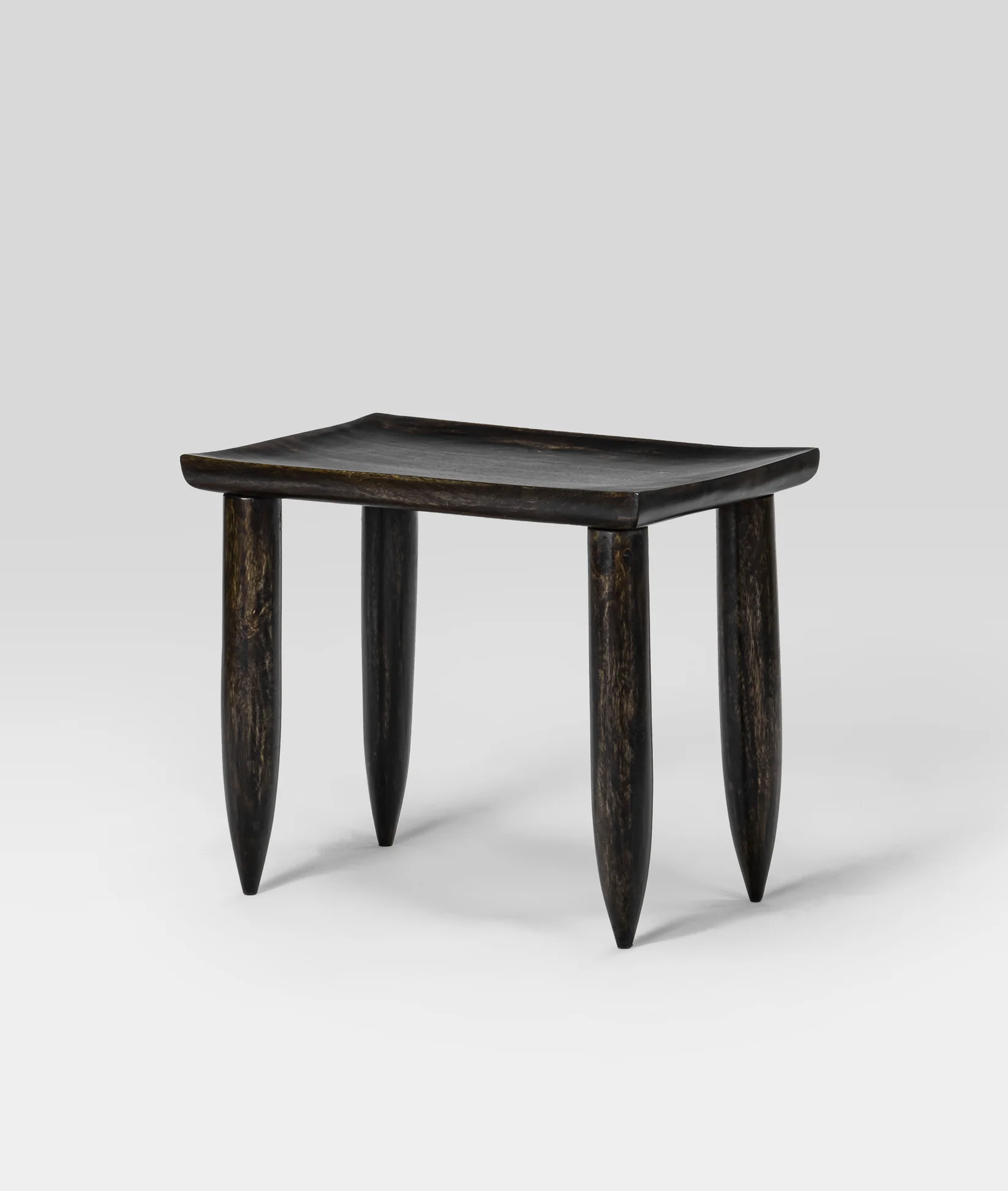
Japanese Wooden Stool
Studio Artisan
Verified Makers
Hyderabad
Bengaluru
₹890 / 0.05ETH
Designer Notes
Clarity Over Complexity
Manufacturing is inherently complex, but the experience shouldn’t feel that way.Information is layered progressively—revealed only when needed—allowing users to move forward without being overwhelmed.
Designing for Trust at Every Step
From menu to movement, the experience mirrors the pace of street-side culture while staying clean and reliable.
A System, Not an Interface
Frankenstein wasn’t approached as a UI problem, but as a coordination problem.The interface is simply a surface layer over a system designed to align three stakeholders with competing needs—buyers, designers, and manufacturers.
Manufacturing, Made Predictable
A fragmented process, restructured into a reliable, on-demand system.
02
Selecting a Manufacturer
You are buying

Studio Artisan
Minimalist Wooden Stool
₹680 / 0.05ETH

Studio Artisan
Three-Legged Wooden Stool
₹680 / 0.05ETH
Select Manufacturer
Suggested by Designer

View Portfolio
Indian Timber Products (since 1879)
₹6,800
Manufacturing Price

View Portfolio
Ace Woodworks & More
₹6,800
Manufacturing Price
Closest to you

View Portfolio
Fatush Timber Manufacturing
₹6,800
Manufacturing Price

View Portfolio
KoolKids Carpentry & Production
₹6,800
Manufacturing Price
02
Selecting a Manufacturer
After finalizing the design, the buyer selects a manufacturer from a list of pre-vetted options.
Three-Legged Wooden Stool Building Guide
Making the Seat
Making the Legs
Fitting the Legs
Polishing & Finishing
Branding Guidelines
Making the Seat


Set Out the Design Parameters
Start by drawing a plan view of the seat on a 3mm MDF sheet.
Draw a square that represents the seat's width and depth. For this stool, the square's breadth equals the seat's overall dimensions.
Add a centerline dividing the square vertically into two equal halves.
Sketch the Seat Shape
Design the stool with a triangular shape and rounded corners. Use tools like a 115mm diameter tin can to mark the rounded corners:
- Place one circle at the top where the centerline intersects the square.
- Add another circle at the bottom left corner, 50mm from the square’s edge.
Sketch the seat’s edge on one half of the square, ensuring alignment with the design intent and leg placement.
Refine the Shape:
Use a pencil to roughly sketch the edge and adjust with broad strokes.
Refine the shape iteratively by sanding off excess lines that don’t work until the final edge emerges.
Once satisfied, use a fine pencil to firm up the final shape.
Create a Symmetrical Template
Trace the refined half of the design onto tracing paper.
Transfer the traced shape onto another MDF sheet to create a half template.
Use the half template to complete the full design by mirroring it onto the other half of the square.
Cut and Trim the Template
Use appropriate tools to cut out the final shape from the MDF sheet.
Trim the edges for precision, ensuring the template is perfectly symmetrical.
Unreplicable Building Guide
Once a manufacturer is selected, the platform generates a secure, interactive building guide tailored for the specific product.
Safe but Effective
- Embedded in the platform: Not a traditional document but a dynamic, step-by-step digital guide that ensures precise execution.
- Visual aids & annotations: Detailed visualizations, assembly instructions, and material guidelines are seamlessly integrated.
- Immutable format: The guide is protected from tampering or replication, ensuring the designer’s IP remains secure while enabling flawless production.
Payment Transparency & Security
Buyers make payments through the platform, ensuring financial security for both buyers and manufacturers.
A milestone-based payment system is implemented, releasing funds only upon successful completion of production and inspection.
Payment terms are clearly outlined, allowing flexibility for partial or full payments based on the agreement.
After-Sale Support
Buyers can report issues like defects, damages, or incorrect customizations through the platform’s dispute resolution system.
The platform facilitates communication between buyers and manufacturers to address concerns, such as repairs or adjustments, ensuring accountability.
Designers and manufacturers are incentivized to provide ongoing support, reinforcing trust in the platform.
Delivery Coordination
Once the product is manufactured, the platform integrates with logistics providers to offer reliable and trackable delivery services.
Buyers receive real-time updates on the delivery status, ensuring transparency and timely arrival.
Special packaging requirements or fragile handling instructions are accounted for during logistics.
03
Payment, Delivery & After-Sale Support
Ensures buyers receive their custom-manufactured products seamlessly
Indian Time Products
Hi, I’ve reviewed the updated guide. The new height works, but I’ll need slightly longer wooden dowels for stability. Shall I proceed with the updated design?
Sounds great! How long will it take to deliver the stool with the new dimensions?
Production will take about five days, and delivery will be within 10 days. Once we start, you’ll get real-time updates on progress.
Also, just a note, the updated stool will retain the original aesthetic—no compromises on quality!
Studio Artisan
Hi, I love the stool design, but can we tweak the height to fit my dining table? It’s a bit shorter than I need.
Hi! Thank you for your interest. Sure, I can adjust the height. I’ll tweak the 3D model and regenerate the production guide for the new dimensions. Just to confirm, what height are you looking for?
I need it to be 75cm instead of 65cm."
Got it. I’ll update the design and push it through for manufacturing. Let me ensure the new dimensions are feasible for the materials selected. One moment.
₹7,780
Order # 123456
Due on 14th Feb 2026
To
From
Memo
Indian Timber Products Pvt Ltd
Devansh Aurora
Via UPI
Download Invoice
02
Selecting a Manufacturer
After finalizing the design, the buyer selects a manufacturer from a list of pre-vetted options.
Three-Legged Wooden Stool Building Guide
Making the Seat
Making the Legs
Fitting the Legs
Polishing & Finishing
Branding Guidelines
Making the Seat


Set Out the Design Parameters
Start by drawing a plan view of the seat on a 3mm MDF sheet.
Draw a square that represents the seat's width and depth. For this stool, the square's breadth equals the seat's overall dimensions.
Add a centerline dividing the square vertically into two equal halves.
Sketch the Seat Shape
Design the stool with a triangular shape and rounded corners. Use tools like a 115mm diameter tin can to mark the rounded corners:
- Place one circle at the top where the centerline intersects the square.
- Add another circle at the bottom left corner, 50mm from the square’s edge.
Sketch the seat’s edge on one half of the square, ensuring alignment with the design intent and leg placement.
Refine the Shape:
Use a pencil to roughly sketch the edge and adjust with broad strokes.
Refine the shape iteratively by sanding off excess lines that don’t work until the final edge emerges.
Once satisfied, use a fine pencil to firm up the final shape.
Create a Symmetrical Template
Trace the refined half of the design onto tracing paper.
Transfer the traced shape onto another MDF sheet to create a half template.
Use the half template to complete the full design by mirroring it onto the other half of the square.
Cut and Trim the Template
Use appropriate tools to cut out the final shape from the MDF sheet.
Trim the edges for precision, ensuring the template is perfectly symmetrical.
Unreplicable Building Guide
Once a manufacturer is selected, the platform generates a secure, interactive building guide tailored for the specific product.
Safe but Effective
- Embedded in the platform: Not a traditional document but a dynamic, step-by-step digital guide that ensures precise execution.
- Visual aids & annotations: Detailed visualizations, assembly instructions, and material guidelines are seamlessly integrated.
- Immutable format: The guide is protected from tampering or replication, ensuring the designer’s IP remains secure while enabling flawless production.